
Note: This is a guest post from Trina Cleary of Growing Raw
In the glorious abundance of Summer and Fall, it’s easy and instinctive to eat fresh, seasonal fruits and vegetables. It takes a little more effort, but it’s still possible to eat a diet filled with fresh and healthy food when Winter rolls around.
Obviously, depending on where you live, you may have more options than some other people. If you live in the north of Alaska you may have to be a little more creative than someone who lives in a milder climate.
However, where there is a will, there is a way! Healthy eating all year round is possible.
Tip #1: Check Out Your Farmer’s Market
Many people assume that their local farmer’s market closes in the winter. Although there may not be the endless selection there is in the warmer months, many vendors still make an appearance to sell their Fall and Winter harvest.
You may be able to find large winter squashes, which are great for making warming soups. Beets, cabbage, cauliflower, chicory, fennel, celery, kale, horseradish, parsnips, kohlrabi, leeks and radishes are cool weather crops that are harvested from late Fall through to early Spring. Many of these actually taste sweeter the cooler the growing weather is. Fall crops that do not go bad quickly, such as walnuts, almonds, onions, garlic or certain varieties of quince may also still be available.
Nobody knows better than a farmer how to eat well with what’s available in the Winter months, so don’t be shy to ask around for some helpful tips!
Tip #2: Preserve the Summer and Fall Harvest
Sometimes in the Summer and Fall it is easy to get so overwhelmed with the abundant harvest that you toss or are anxious to give away all those extra zucchinis or tomatoes to anyone that will take them off your hands. At the time you think you have eaten so many of them that you don’t care if you ever see another one again!
Plan ahead. Once the middle of Winter comes around, those garden tomatoes over pasta will probably never have tasted better or more welcome.
Make sure to store apples, onions, garlic, and potatoes in a cool, dark cellar. If stored well, you will be able to dip into this reserve deep into the winter.
Canning is simple and fun, and makes a great activity to do with your friends, neighbors or family one lazy weekend day. Can tomatoes, fruits, salsas and even look into pickling zucchini and eggplant.
Many veggies and fruits freeze well, especially beans, peas, cauliflower, broccoli, zucchini, berries, pears, peaches, apples and apricots. Make sure you throw a few large ziplock bags of these foods, grated or chopped for ease of use, into the freezer when these foods come into harvest. Defrost at the time you want to use them, and voila! You have veggies and fruits at hand to give the flavor of the Summer and Fall months to your Winter meals.
Tip #3: Investigate Seasonal Cookbooks
With the rise of globalized trade and increasingly processed foods we have lost our habit of eating within the rhythms of nature. Never before has it been so easy to run up to the supermarket and eat strawberries in January – but consider that those strawberries have probably had a couple of weeks worth of travel from another end of the world, and are anything but the freshest or most ecologically friendly option.
Eating within the confines of what nature offers us at the time was something that our ancestors did naturally. Fortunately, seasonal eating is making a comeback. You can find many excellent cookbooks on the subject, which will inspire your creative juices and give you endless delicious ideas for cooking up Winter veggies and grains.
Tip #4: Experiment with Hydroponics
Even if you live in the most harsh winter climate, if you invest in a small hydroponics system you can enjoy fresh organic veggies and herbs all year round.
Many starter systems can be bought online, or ask your local gardening store for help setting up a basic indoor garden. Put that extra guest bedroom that no one uses anyway to use, or use this as motivation to clear out the basement to make room for a vibrant hydroponic garden that you can enjoy no matter what the weather is doing outside.
Tip #5: Start a Windowsill Garden
So let’s say that you live in the tiniest studio apartment in the city and your town does not have a farmers market – you are out of luck, right? No way! Get creative and use any window space to grow compact plants that you can hang in small pots, and you can enjoy simple greens and many low-maintenance herbs such as basil, parsley and cilantro. Not only will a windowsill garden add beauty and life to your apartment, it will help you eat fresh all year round.
***
So don’t think that eating fresh produce is just a luxury of the Summer and Fall months! It’s possible to tap into the reserves of the more abundant Summer and Fall months, or welcome the many tasty winter options into your diet. With a little preparation, motivation, and inspiration you can find ways to eat healthy servings of vibrant produce year round.
How do you find and include fresh produce in your diet during the Winter months?
Trina Cleary is learning about growing and eating healthy food while she cares for her preschool aged kids at home. She publishes her discoveries at Growing Raw, a healthy eating guide dedicated to all those who want to grow healthy food and eat it too.
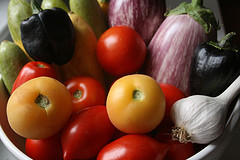
Photo by thebittenword.com



Great tips, I never really thought too much about eating well seasonally, but rather to just eat well in general.
It’s funny, because my mom came home from the local Farmers Market the other day with a big bag of tomatoes, and I was surprised to hear that the store she went to there had a lot of tomatoes and fruits still left.